
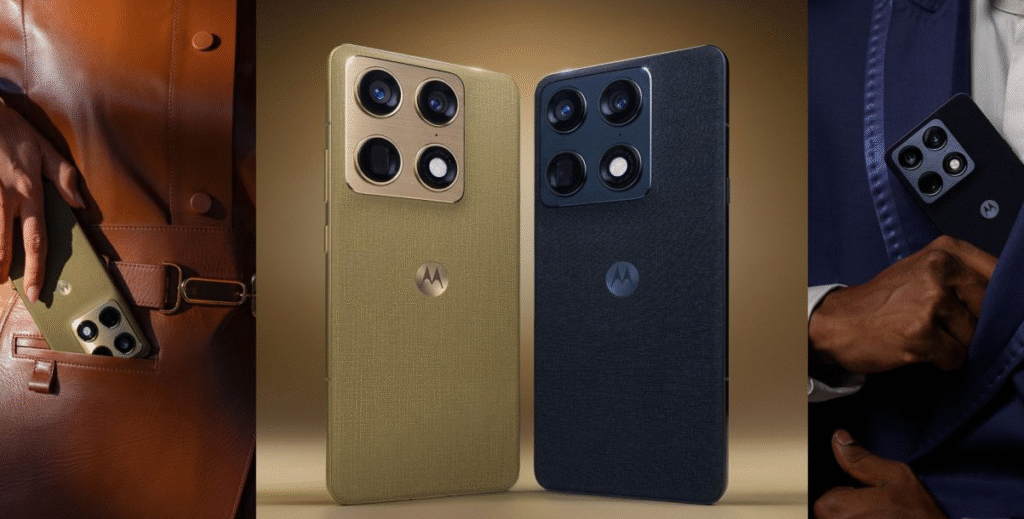
Software updates can feel like a breath of fresh air for your smartphone. They bring a mix of anticipation, fresh visuals, and sometimes a few minor quirks that remind us we are running cutting-edge code. If you carry the flagship Motorola Signature, there is plenty to talk about. Motorola’s Android 17 beta program—initially announced earlier this year—has officially expanded, bringing a major software overhaul to the Signature.
From a completely refreshed user interface to new AI capabilities and subtle quality-of-life gestures, here is an in-depth breakdown of everything included in the Motorola Signature Android 17 update.
1. Rollout Timeline & Package Overview
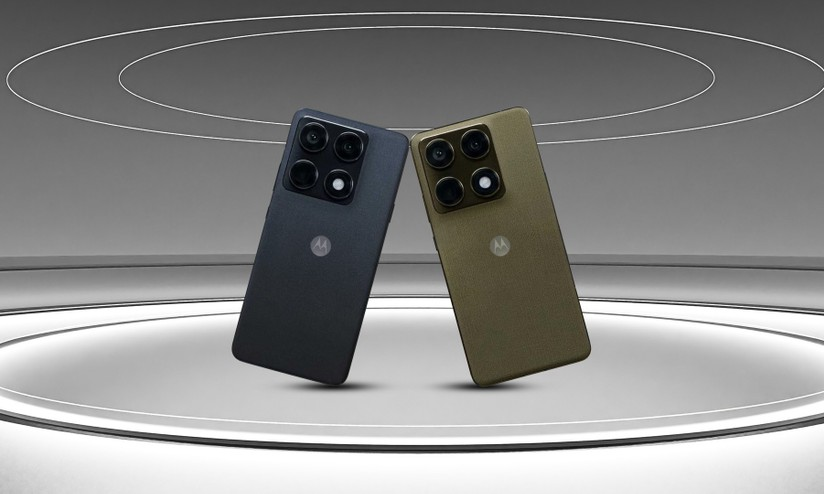
Motorola first kicked off its Android 17 beta program back in February across key regions, including India, the US, and select EMEA markets. While early testing started slowly with devices like the Motorola Edge 60 Pro, the development team has ramped up distribution.
- Target Device: Motorola Signature (alongside select expansion models like the Edge 70 series and Moto G57 Power).
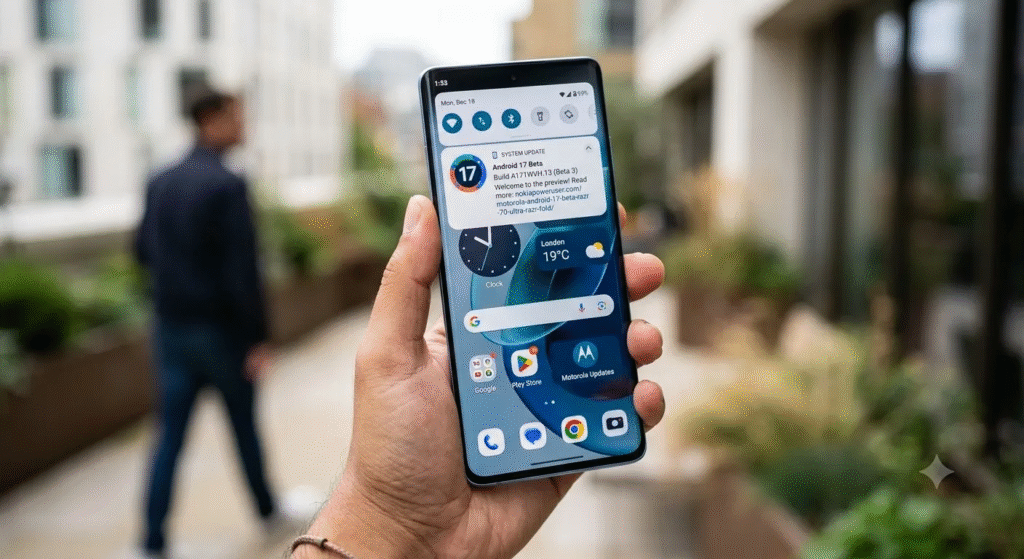
- Build Version: Identified under build tag A171WVH.13.
- Download Size: The update is substantial, weighing in between 4GB and 5GB. A reliable Wi-Fi connection and sufficient storage space are recommended before starting the installation.
- Eligible Regions: Initial beta builds are rolling out to enrolled users in India, Brazil, and parts of the EMEA region, with broader regional rollouts following.
2. Visual & Interface Redesign (HelloUI Improvements)
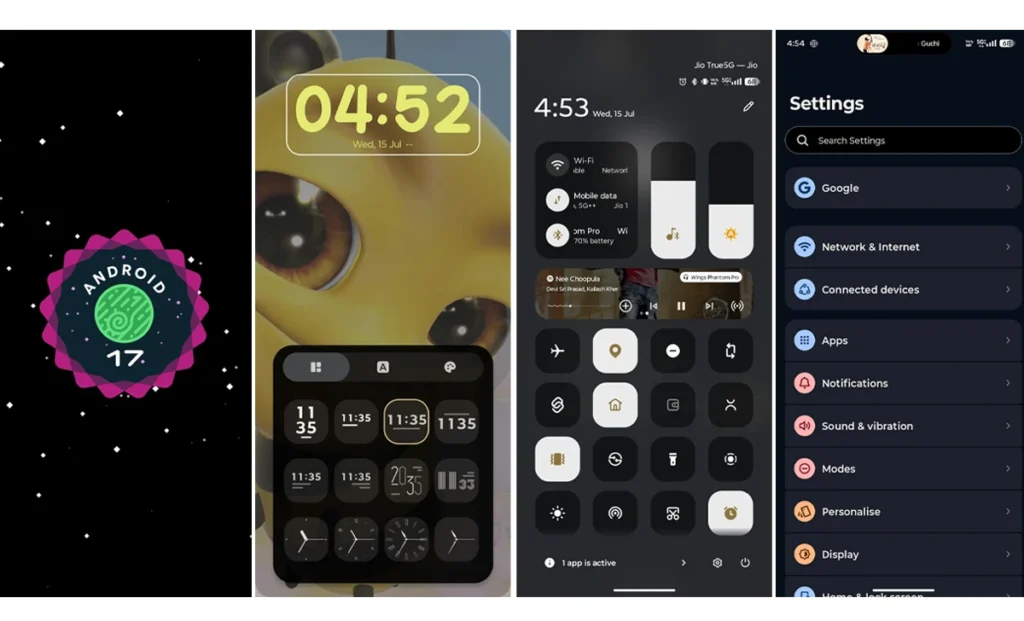
The Android 17 update brings significant design tweaks to Motorola’s customized interface, HelloUI. The changes focus on visual cohesion, modern layout dynamics, and smoother animation transitions.
Redesigned Lock Screen & Typography
- Expanded Clock Styles: Users gain access to a wider variety of lock-screen clock faces with new typography, font weights, and arrangement options.
- Layout Customization: Text size and style can be tailored to match custom wallpapers, giving the lock screen a more personalized feel.
Refreshed App Drawer & Home Screen
- 3×3 Folder Layout: Folders in the HelloUI app drawer now feature a 3×3 grid layout (upgraded from 2×2), allowing more apps to be previewed at a glance without opening the folder.
- Clean Minimalism: App titles can now be hidden for a minimalist home screen look, paired with forced app icon tinting to match system themes.
- Simplified Folder Creation: A dedicated “Create Folder” button has been integrated directly into the app drawer interface.
- Search Bar Optimization: The dedicated MotoAI icon has been removed from the app drawer search bar to streamline the layout, while background blur behind open folders has been visually enhanced.
Control Center & Settings
- Pixel-Style Settings UI: The main Settings menu has been restructured with rounded categorization, closer to Google’s stock Pixel UI design.
- Classic Control Center & Quick Tiles: System toggles gain scalable quick tiles that can be resized based on priority, alongside redesigned status bar icons for Wi-Fi, cellular signal, and battery health indicators.
3. Dynamic Island Integration & Live Updates
One of the most noticeable user-facing additions in this update is the overhaul of Motorola’s Live Updates framework.
- Centered Camera Cutout Alignment: Previously anchored to the left side of the status bar, persistent real-time alerts now expand directly out of the center hole-punch camera cutout—mirroring the behavior of Apple’s Dynamic Island.
- Expanded Application Support: Live Updates now support everyday background activities natively. Users can track active phone calls, music playback, torch status, timers, and third-party delivery or rideshare alerts directly from the interactive cutout widget.
4. Performance, System Gestures & Audio Improvements
Beyond visual changes, the Android 17 update adjusts how users physically interact with the device through improved gestures and haptics.
→Key System Gesture Updates
Gesture Action
•Take Screenshot
•Enter Split Screen
Old Method (Android 16)
•3-Finger Press & Hold
•Swipe Back-and-Forth
New Method (Android 17)
•3-Finger Swipe Down
•3-Finger Swipe Up
Enhanced System Haptics
System vibrations have been completely re-tuned. Swiping away notifications, toggling control sliders, and navigating system menus offer precise tactile feedback that feels significantly sharper than in previous builds.
Audio & Visual Upgrades
- Landscape Stereo: Stereo audio separation has been recalibrated for media consumption when holding the phone horizontally.
- Enhanced HDR Brightness: Display algorithms automatically boost panel brightness when playing back supported HDR video content.
- Redesigned Volume Mixer: A reworked volume interface allows granular control over media, notification, call, and alarm channels independently.
5. Next-Gen AI & Ecosystem Features
Motorola continues to lean heavily into its proprietary intelligence features with this update, integrating new tools directly into the operating system core.
Qira: The New Moto AI Assistant
The update introduces Qira, Motorola’s upgraded AI assistant. Designed to replace older automated features, Qira focuses on contextual actions, smarter notification summaries, and faster response times for device management tasks.
Smart Connect & Cloud Sync
Cross-device capabilities receive an upgrade through expanded Smart Connect features:
- Cloud Integration:Allows seamless Motorola clipboards, file sharing, and notification sync across connected PCs, tablets, and display docks without requiring local network proximity.
- Notification Management: A centralized notification management system categorizes incoming alerts based on urgency, helping reduce clutter throughout the day.
6. What to Expect in Beta Performance
Running early Motorola software builds often comes with trade-offs as developers fine-tune resource allocation and background processes.
- Thermal Behavior: Early testers and community feedback note that the Motorola Signature may run warmer than usual, particularly during initial setup, background indexing, or heavy multi-tasking.
- Battery Consumption: Increased battery drain is common in early beta builds as background optimization logs run in the background. Battery efficiency typically stabilizes in subsequent patch releases.
- Status Bar Alignment: Minor visual overlapping issues with status bar icons (such as network strength and battery text) have been reported, though Motorola is actively refining these elements ahead of the final stable build.
7. Full Device Compatibility List for Android 17
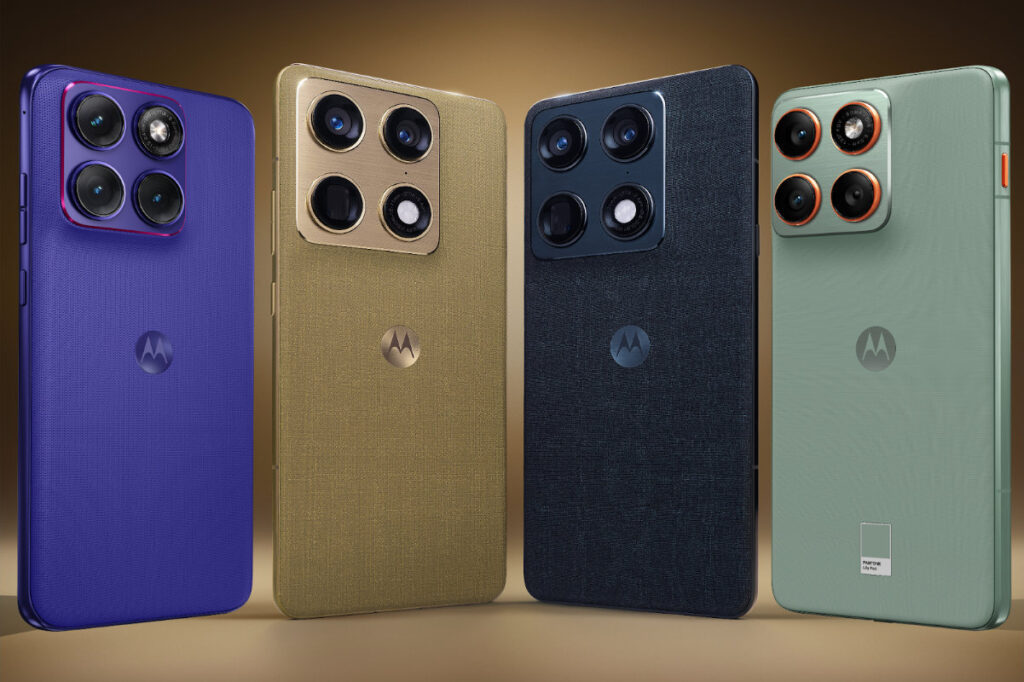
For users who own multiple Motorola devices, the company has officially confirmed the broader rollout roadmap. The stable build of Android 17 will roll out gradually, prioritizing flagship models, foldables, and newer mid-range handsets.
Motorola Signature
- Motorola Signature (Actively Receiving Beta Build)
Motorola Razr Series
- Motorola Razr 70 / 70 Plus / 70 Ultra
- Motorola Razr 60 / 60s / 60d / 60 Ultra
- Motorola Razr 50 Ultra
- Motorola Razr Plus (2024 / 2025 / 2026)
- Motorola Razr Ultra (2025 / 2026)
- Motorola Razr Fold (2025 / 2026)
Motorola Edge Series
- Motorola Edge 70 / 70 Pro / 70 Pro Plus / 70 Max / 70 Neo / 70 Plus
- Motorola Edge 70 Fusion / 70 Fusion Plus
- Motorola Edge 60 / 60 Pro / 60 Fusion / 60 Stylus
- Motorola Edge 50 Ultra
- Motorola Edge 2025 / 2026
Moto G Series
- Moto G Max
- Moto G87 / G86 / G86 Power
- Moto G77 / G77 Power
- Moto G67
- Moto G57 / G57 Power
- Moto G47 / G37 / G37 Power
- Moto G / Power / Stylus / Play (2025 & 2026 Editions)
How to Check for the Update
If you registered your Motorola Signature in the beta program, you can manually check for the OTA update package by navigating through your system menu:
- Open Settings.
- Scroll down and tap System.
- Select System updates.
- Tap Check for updates.
Ensure your device has at least 50% battery remaining and is connected to Wi-Fi before initiating the download.
Frequently Asked Questions
How big is the Android 17 beta update for the Motorola Signature?
It is a heavy download, ranging between 4GB and 5GB, so use Wi-Fi.
Which regions can access the Motorola Signature beta right now?
It is currently rolling out to enrolled users in India, Brazil, and EMEA regions.
Does this update bring Apple’s Dynamic Island feature?
Yes, Motorola’s Live Updates feature now expands centered around the punch-hole camera.
Why is my phone running warm after installing the update?
Background indexing and early beta optimizations can temporarily increase device heat.
How do I take a screenshot on the new Android 17 update?
Motorola changed the gesture to a simple three-finger swipe down on the display.