
Grab a warm cup of coffee, kick back, and let’s have an honest, real-talk conversation. If you’ve ever sat down with a veteran security engineer—someone who’s spent fifteen years putting out digital fires, surviving midnight server room panics, and guiding panicked CEOs through messy cloud migrations—you know they don’t talk like a textbook. They don’t throw around robotic buzzwords or hide behind acronyms. They tell stories. They use real-world examples. They break down terrifyingly complex data security problems into simple, practical truths.
That is exactly what this guide is. No fluff, no dry corporate speak—just a grounded, deeply human roadmap to understanding and mastering Data Security.
When you look at a successful business, your eyes naturally gravitate toward the shiny things: the modern office space, the high-end laptops, or the impressive pitch decks. But if you peel back those outer layers, the real engine keeping the lights on, the doors open, and the customers coming back is something far quieter.
It’s your data.
It’s the list of loyal clients you’ve built over ten long years. It’s the sensitive medical histories patients trust you to guard. It’s the secret recipe behind your signature product, the financial spreadsheets for next quarter, and the quick, casual Slack messages your team sends back and forth all day.
Think of your data like a crystal-clear mountain spring flowing right through the middle of a small town. When that water stays clean, protected, and routed to the right homes, the entire community flourishes. But if you leave the headwaters unguarded, let the riverbanks collapse, or fail to notice industrial runoff creeping into the stream, the whole town gets sick fast.
Data security isn’t some boring technical chore you hand off to the IT department and forget about. It is the daily, lived habit of keeping that stream pure—making sure it’s protected from bad actors, shielded from dumb accidents, and always ready for the good folks who depend on it every single day.
The Big Picture: What Data Security Actually Means
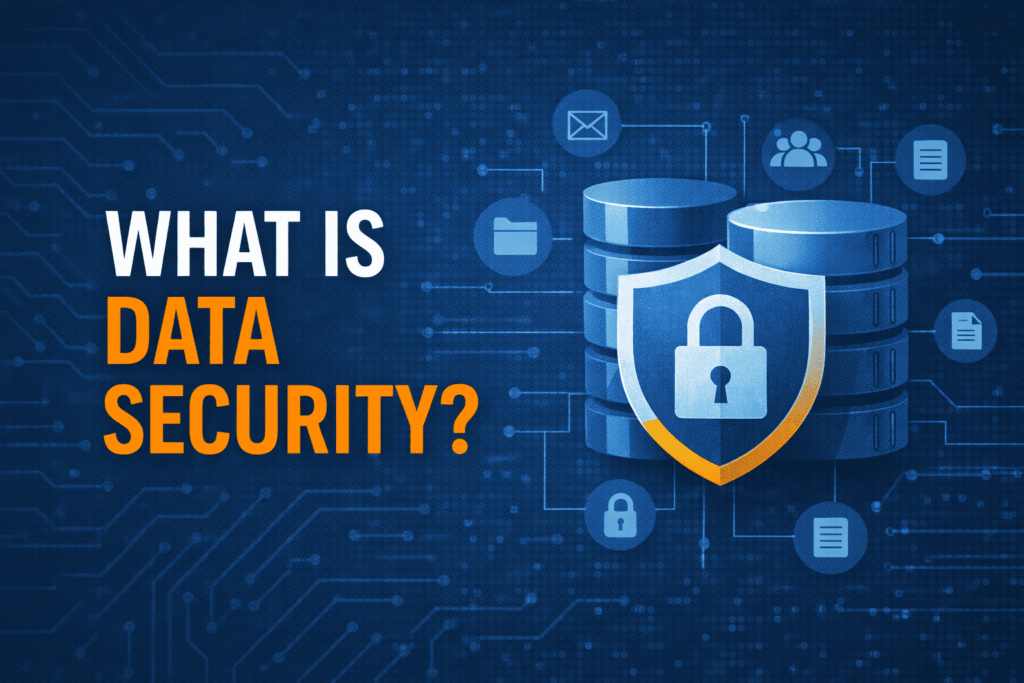
If you ask a group of cybersecurity pros to define their job, they’ll almost certainly bring up three core principles. In academia, they call this the CIA Triad. But honestly? You can just think of it as the basic recipe for keeping your own house safe and comfortable.
- Confidentiality (Privacy at home): Drawing your living room blinds when night falls. It means only the people you’ve explicitly invited through the front door get to see what’s sitting on your kitchen counter.
- Integrity (Trusting your records): Making sure that when you leave an important signed contract on your desk, nobody sneaks in through a side window at 2:00 AM with a bottle of White-Out and a pen to change the dollar amounts.
- Availability (A door that actually opens): Making sure your front door key works every single time you use it. There is zero point in building a triple-bolted steel fortress if the lock gets rusted shut and leaves you standing out in the pouring rain when you’re just trying to get inside with your groceries.
The True Cost of a Slip-Up
It’s surprisingly easy for leaders to treat security like an annoying line item on a spreadsheet—right up until the day the alarms start ringing.
When a breach lands, the immediate financial punch to the gut is brutal. Between emergency forensics teams, high-priced lawyers, customer notification fees, and regulatory fines, a major incident in the US easily burns an average of $8 million. But talk to anyone who’s actually lived through a breach, and they’ll look you in the eye and tell you the money wasn’t even the worst part.
The real heart-breaker is shattered human trust.
Put yourself in your customer’s shoes. Imagine opening your inbox on a Tuesday morning to read: “We had a security incident, and your full name, home address, password, and credit card details may have been accessed by unauthorized parties.”
You don’t just get mad—you feel exposed. You feel betrayed. And more often than not, you pack up your business and head straight to a competitor. Rebuilding a ruined reputation isn’t like buying new servers; it takes years of humble, agonizingly slow work, and the stain never quite washes out completely.
Untangling the Jargon: Security vs. Privacy vs. Everything Else
The tech world loves to dump buzzwords into a big pot and stir them around until nobody knows what means what. Let’s pull those terms apart so you can see the whole map clearly.
Data Security vs. Data Privacy
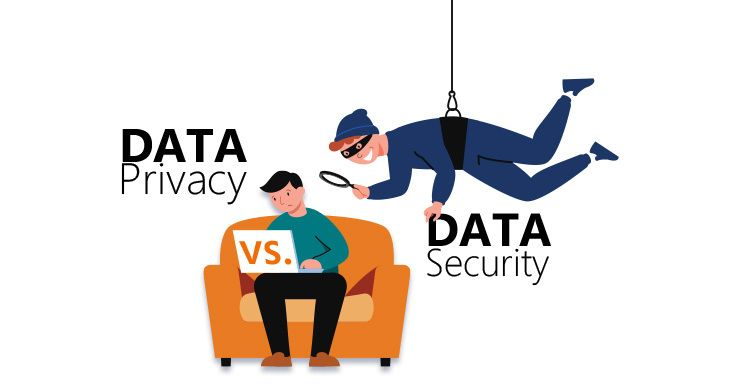
Imagine you own a charming little cottage in the woods:
- Data Privacy is sitting down and writing the guest list. It’s deciding who gets an invite to Sunday dinner, what topics are fair game for conversation, and how much of your personal life you’re comfortable sharing with the world. It’s about ethics, permissions, and human consent.
- Data Security is the heavy deadbolt on the solid wood door, the motion-activated floodlights, and the fireproof safe anchored to the basement floor. It’s the physical muscle that enforces your privacy rules in the real world.
Having the world’s most beautiful, heartfelt privacy policy written on your website means absolutely nothing if you leave your back door unlocked and unmonitored.
Data Security vs. Cybersecurity
Think of cybersecurity as looking after the whole territory—the roads, the power grids, the perimeter fences, and the guard towers. Data security is laser-focused on guarding the chest of gold sitting inside the master vault. One keeps the entire digital countryside safe; the other makes sure the main treasure doesn’t walk away.
Data Security vs. Backups
Having a data backup is like keeping a spare tire in your trunk or handing a duplicate house key to your most reliable neighbor. If you catch a flat on the highway or lock yourself out, you aren’t stranded.
Backups save businesses from total ruin every single day. But here’s the catch: having a duplicate copy of a confidential spreadsheet won’t stop a thief from posting the original copy all over Reddit. Security stops unwanted eyes from reading your private journal in the first place; backups make sure a sudden kitchen fire doesn’t destroy the only copy you own.
Threats in the Wild: What Are We Actually Up Against?
The digital threat landscape isn’t a neat, predictable grid—it’s a wild, dense forest filled with unpredictable elements. If you want to walk through it safely without getting blindsided, you have to know what’s lurking in the brush.
1. Simple Human Mistakes (The Quiet Leak)
Here’s a secret the media rarely talks about: most massive leaks don’t start with a genius hacker in a dark room wearing a hoodie. They start with an exhausted accountant named Sarah who accidentally toggles a Google Drive folder to “Public – Anyone with the link” at 4:55 PM on a Friday because she’s late picking up her kids from practice. We’re human beings. We get tired, we get distracted, and simple fatigue opens more doors to bad actors than high-tech exploits ever will.
2. Phishing and Social Engineering
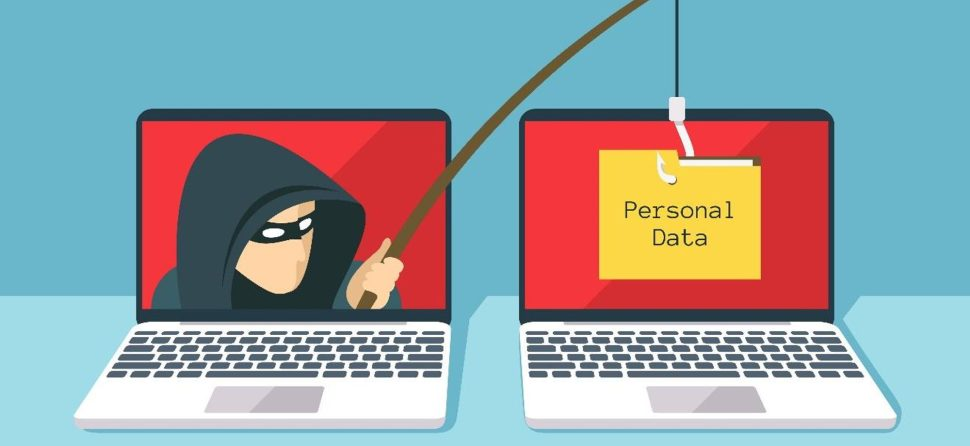
Cybercriminals figured out a long time ago that it’s infinitely easier to trick a human brain than it is to crack high-level math encryption. They send uncanny emails that look identical to your bank, your IT department, or your favorite food delivery app.
They build fake urgency—“ACTION REQUIRED: Your payroll account will be locked in 15 minutes!”—hoping you’ll panic, click, and type in your password before your brain has a second to think, Wait, does IT ever ask for my password over email?
3. Troubles from Within (Insider Threats)
Risk doesn’t always travel across an ocean through a dark wire. Sometimes it walks right through your front doors and grabs a cup of coffee in the breakroom:
- The Honest Slip: A busy field rep who leaves a work tablet sitting on a counter at Starbucks while stepping away to grab a napkin.
- The Bitter Departure: A sales manager who knows they’re getting laid off next Tuesday and spends Sunday night copying the entire customer database onto a personal thumb drive “just as a safety net.”
- The Hijacked Credential: A long-time employee whose password was leaked in an old website breach three years ago, allowing an outsider to log in using a completely valid employee badge without raising a single red flag.
4. Ransomware: The Digital Shakedown
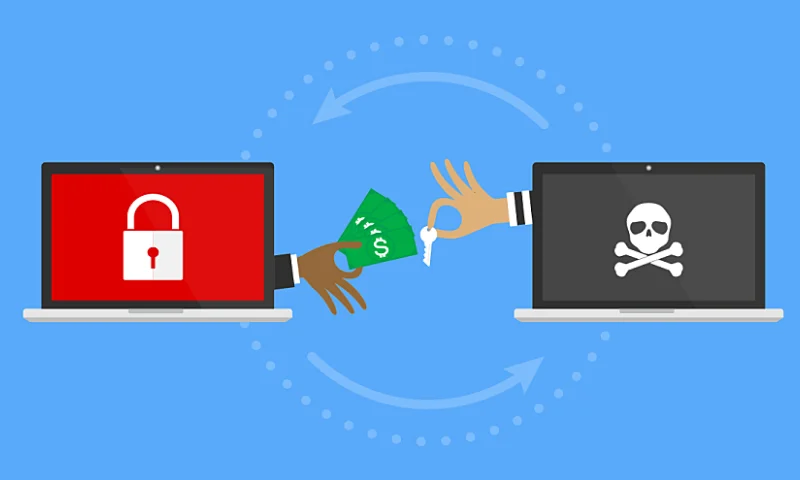
Ransomware is pure poison. It quietly sneaks onto your network, scrambles every single document, spreadsheet, and database with an unbreakable digital padlock, and leaves a terrifying message on your screen: “Pay us $250,000 in untraceable crypto within 48 hours, or your business is dead.”
Ransomware is pure poison. It quietly sneaks onto your network, scrambles every single document, spreadsheet, and database with an unbreakable digital padlock, and leaves a terrifying message on your screen: “Pay us $250,000 in untraceable crypto within 48 hours, or your business is dead.”
To make matters worse, modern ransomware groups don’t just lock your files anymore—they steal a copy of everything first. If you tell them to take a hike because you have good backups, they reply: “Fine, then we’ll email all your private client contracts to the press at midnight.”
The Rulebooks: Regulations You Can’t Afford to Ignore
Running a business means you aren’t playing in your own private sandbox. Depending on where your customers live and what you handle, governments around the globe have established strict laws to force companies to treat people’s personal information with care.
Treating these rules as optional isn’t just risky—it’s business suicide. The fines alone can easily wipe out a year’s worth of profit in a single afternoon.
Defensive Strategies: Tools and Practices That Actually Work
Protecting your company isn’t about running out and buying one single “magic security tool.” That tool doesn’t exist. Real security is built in layers—exactly like dressing for a freezing winter storm with a thermal base layer, a thick sweater, and a heavy waterproof coat.
1. Modern Identity Verification (IAM)
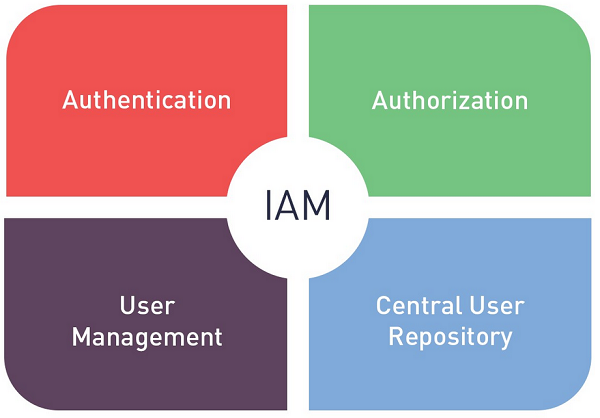
It is officially time to put the single, basic password out to pasture. Passwords get reused across fifty different sites, guessed by automated bots, or written down on sticky notes glued to the bottom of keyboards.
Set up data security Multi-Factor Authentication (MFA) on every single app, email account, and cloud tool your company touches. Requiring a quick thumbprint or a tap on a smartphone app blocks almost all automated brute-force attacks instantly. It adds maybe four seconds to your morning routine, but it saves you four months of living in emergency response hell.
2. Know What You Own (Discovery & Classification)
You cannot guard a diamond if you don’t even know which room in the house you left it in. Smart organizations use automated data security discovery tools that constantly search cloud drives, servers, and employee laptops, tagging files as they go: Public, Internal, or Strictly Confidential.
Once a file gets tagged as Strictly Confidential, your systems can automatically stop anyone from attaching it to a personal Gmail account or sending it outside the company network.
3. Encryption: Scrambling the Treasure
Encryption takes plain, readable sentences and runs them through a mathematical meat grinder, turning them into complete, unreadable gibberish.
- In Transit: Scrambling data while it flies across the web so that anyone listening in on an unsecured coffee shop Wi-Fi network sees nothing but random numbers.
- At Rest: Scrambling files while they sit quietly on hard drives, so that even if a burglar sneaks into your server room and physically steals a drive, the files inside are totally unreadable without the secret key.
4. Data Loss Prevention (DLP)
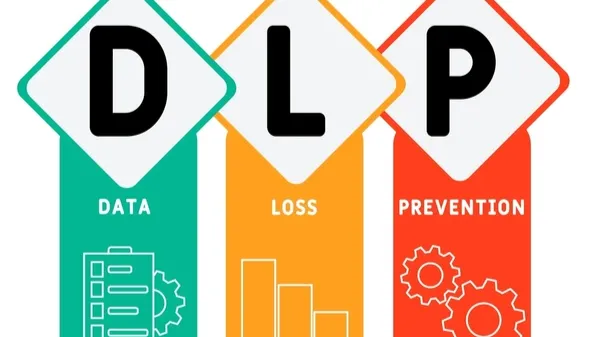
Think of data security DLP tools like an attentive, friendly security guard sitting by the main exit doors. If a well-meaning worker tries to drag a master spreadsheet full of customer social security numbers into a personal Dropbox folder, the system steps in gently: “Hold on a second! That document contains sensitive data. Let’s make sure you’re using our approved internal folder instead.”
The Human Side: Cultivating a Healthy Security Culture
You can spend ten million dollars on the most advanced, top-tier cybersecurity software on Earth, but if your company culture relies on fear, your defenses will fall apart when tested.
A Quick Reality Check: The absolute greatest security asset any company can ever have is an employee who feels safe walking up to their boss or IT team and saying, “Hey, I clicked on a link that looked a little strange, and I think I made a mistake. Can you help me check my laptop?”
Simple Rules for a Healthy Culture:
- Adopt a “Zero Trust” Mindset: Move away from the old-fashioned idea that everyone connected to office Wi-Fi is automatically trustworthy. Verify identities continuously—especially when large wire transfers, password changes, or sensitive records are on the line.
- Practice Least Privilege: Give your team access to the exact files they need to do their jobs today—nothing more, nothing less. An intern in graphic design has no business having open read/write access to executive payroll folders.
- Ditch the Public Shame: When a team member falls for an internal phishing test, don’t single them out or embarrass them. Turn it into a quiet, supportive coaching moment. If employees live in fear of getting fired over a single mistake, they will hide their errors—and hidden security problems turn into catastrophic disasters in the dark.
- Keep Training Short and Real: Stop making your staff sit through mind-numbing 60-minute annual compliance videos that everyone plays on mute in a hidden tab. Instead, drop short, 2-minute weekly tips that teach them how to protect their personal bank accounts, home Wi-Fi networks, and work files alike. When people learn how to protect their personal lives, those habits naturally spill right over into their work day.
Moving Forward, One Step at a Time
Taking on data security all at once can feel like looking up at Mount Everest in flip-flops. The terminology is dense, the risks sound terrifying, and the software options can leave your head spinning.
Here’s the best news you’ll hear all day: you don’t have to fix everything by tomorrow morning.
Security isn’t an all-or-nothing game. It’s built on small, consistent, sensible habits:
- Turn on multi-factor authentication across your primary email and payroll systems today.
- Take thirty minutes next Tuesday to review who currently has admin access to your core drives.
- Gather your team for a casual coffee chat next week to talk through what a suspicious email actually looks like in the wild.
Data security isn’t a final finish line you cross so you can stop caring. It’s an ongoing, daily rhythm. By taking steady, practical steps every single week, you build a resilient business, earn deep trust with your customers, and ensure your digital stream stays clean and clear for years to come.
Frequently Asked Questions
1. What’s the single best thing we can do right now to lock things down?
Turn on multi-factor authentication everywhere—that quick phone pop-up stops almost every automated login attempt dead in its tracks.
2. How do I explain the difference between security and privacy to my team?
Privacy is deciding who gets an invite to your house, while security is the heavy deadbolt on the front door that enforces that rule.
3. What’s actually triggering most of these company breaches?
Honestly, just everyday human fatigue—clicking a sneaky phishing link or accidentally setting a Google folder to “public” on a Friday afternoon.
4. If we back up all our files every night, aren’t we fully covered?
Backups save you if your files get deleted or scrambled, but they won’t stop a hacker from threatening to leak your stolen client data online.
5. What does “Least Privilege” actually mean in plain English?
It just means only giving people keys to the rooms they need for their job—so a summer intern can’t accidentally wander into executive payroll.