
Apple has officially released iOS 26.3, now rolling out to supported iPhones worldwide. While this is not a major redesign like the original iOS 26 launch, it brings several noteworthy improvements, practical features, and important security patches that all iPhone users should understand before updating.
What’s New in iOS 26.3
Easier Transfer to Android
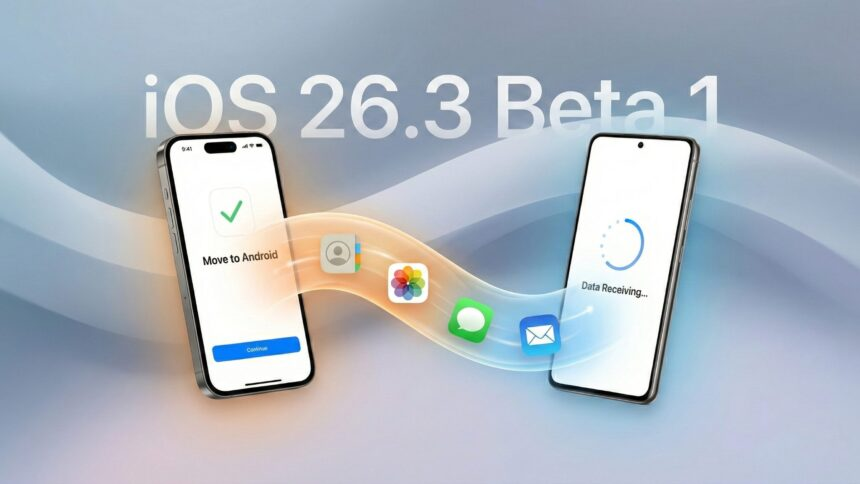
One of the headline features in iOS 26.3 is a simplified data transfer process for users switching from an iPhone to an Android smartphone. Apple now offers a built-in tool that lets you place your iPhone next to an Android device to begin transferring photos, messages, apps, passwords, and even your phone number — all without requiring separate apps or complex setups. Sensitive items like health data, paired Bluetooth devices, and locked notes are excluded for privacy/security reasons.
This change reflects increasing cross-platform cooperation between Apple and Google, making it easier for users to move between ecosystems without losing key data.
Notification Forwarding for Third-Party Wearables
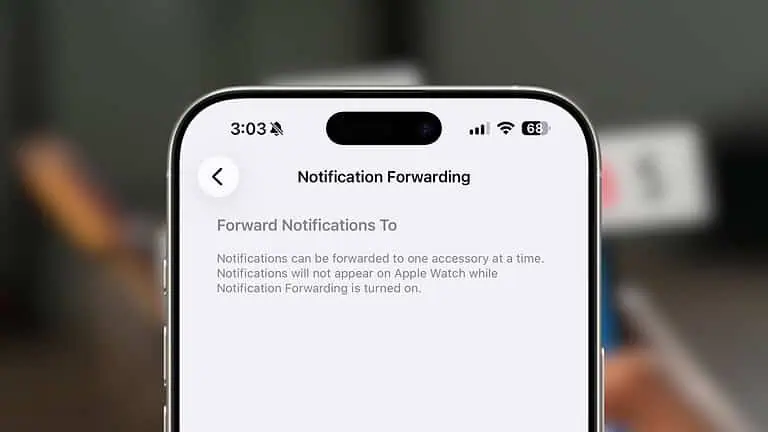
iOS 26.3 introduces a Notification Forwarding feature that allows notifications from your iPhone to be sent to third-party wearable devices such as Android smartwatches. This feature is particularly relevant for users in the European Union, where regulatory requirements encourage greater interoperability between devices. Note that notifications forwarded to a third-party device will not appear simultaneously on an Apple Watch.
New Weather Lock Screen Customization
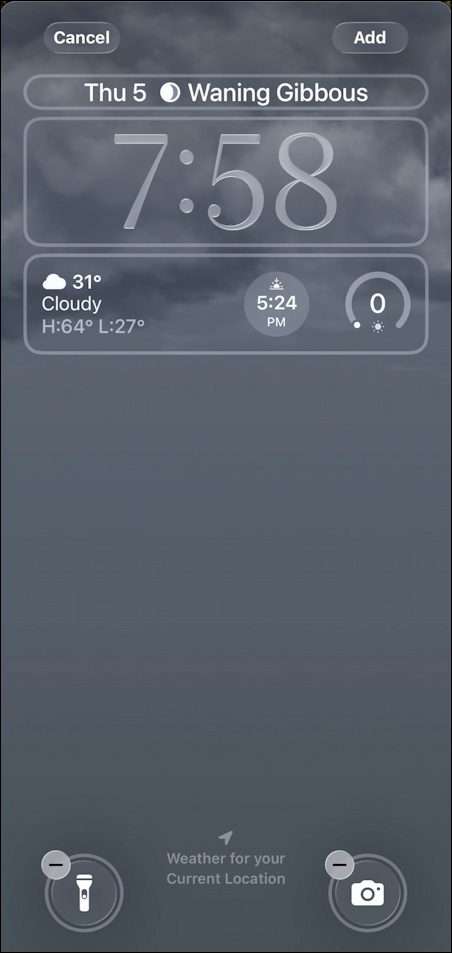
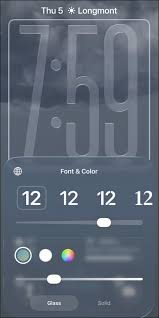
The update reorganizes the Lock Screen customization options by separating Weather wallpapers into their own dedicated category. Users can now choose from several Weather wallpaper designs with dynamic weather information and alternative clock styles, making personalization easier and more visually appealing.
Limit Carrier Precise Location
Apple added a new privacy toggle that lets users limit how precisely their carrier can access their location data. When enabled, carriers may only receive coarse location information (e.g., neighbourhood rather than exact coordinates). This setting is currently supported on devices with certain modem hardware and with participating carriers.

Critical Security Updates
A major component of iOS 26.3 is its extensive set of security patches. Apple addressed multiple vulnerabilities, including flaws that could allow arbitrary code execution, app crashes, and unauthorized access to photos or messages. Users are strongly encouraged to install iOS 26.3 promptly to protect their devices from potential exploits.
How to Update to iOS 26.3
Updating is straightforward: go to Settings > General > Software Update on your iPhone. If iOS 26.3 is available for your device, a prompt to download and install will appear. Ensure you’re connected to Wi-Fi and have sufficient battery or are plugged into power before beginning.
supported devices include recent iPhone models from the iPhone 11 series onward.
Final Thought
iOS 26.3 might not introduce headline-grabbing changes like a full operating system overhaul, but it delivers practical enhancements, important security fixes, and features that reflect broader industry trends — particularly around privacy and interoperability. For most users, the update is well worth installing as soon as it’s available. The inclusion of Android transfer tools highlights Apple’s growing acknowledgement of cross-platform flexibility, while privacy controls and security patches continue to safeguard user data.
What Happened to Stephen Bear? The Full Story Explained

How to Choose the Perfect Hair Colour for Your Lifestyle

March 9 Is Miku Day: Everything You Need to Know About the Viral Anime Celebration

Switzerland in 2026: Ultimate Travel Guide for Nature and Adventure Lovers

How to Maintain a Balanced Lifestyle During Eid Festivities

Barbie Movie Review: What Makes This Film So Unique

Disclaimer : This article is based on information available at the time of writing from official Apple release notes, trusted tech news outlets, and public changelogs. Feature availability can vary by region and carrier, and some functionalities (such as notification forwarding on third-party devices) may be limited or appear later depending on local regulations and manufacturer support. Always back up your device before performing software updates.
#iOS26.3 #AppleUpdate #iPhoneUpdate #NewFeatures #SecurityPatch #DataTransfer #TechNews #iOSUpdate #Carrerbook #Anslation